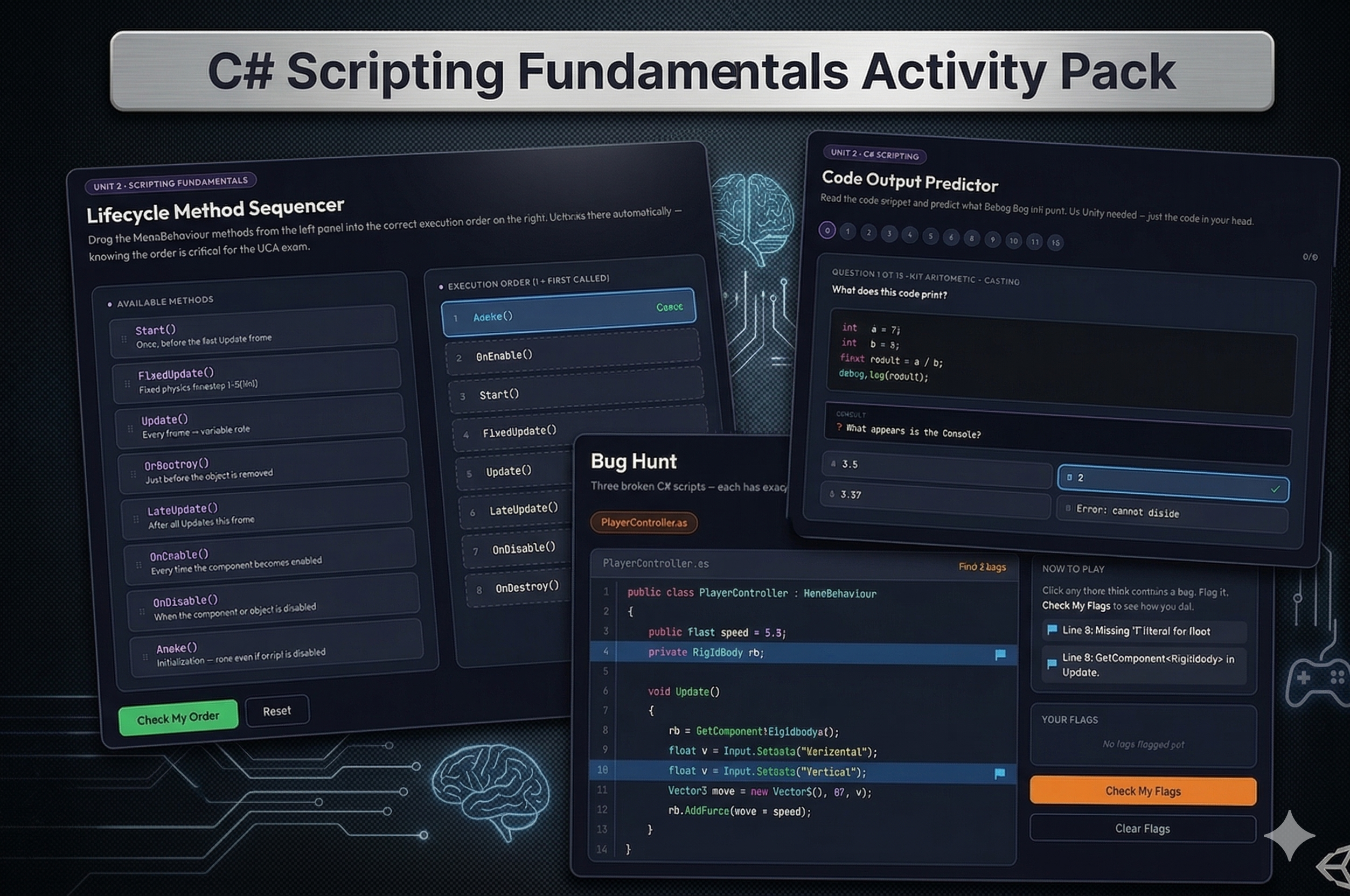
Three targeted activities that take students from understanding how Unity executes code to reading, predicting, and debugging it themselves.
Included activities:
1. Lifecycle Method Sequencer Eight MonoBehaviour method cards appear in a randomized pool. Students drag them into eight numbered slots in the correct execution order. On submit, each slot lights up green or red, and a full explanation panel expands showing what each method does and why it falls where it does. A direct UCA exam target.
2. Code Output Predictor Twelve C# snippets shown one at a time with a simulated Console window. Students predict what Debug.Log would print from four options. Covers integer division truncation, missing float suffixes, string concatenation, modulo, array indexing, boolean logic, explicit casting, string interpolation, and for-loop totals — all documented UCA exam traps.
3. Bug Hunt Three progressively harder C# scripts with full syntax highlighting. Students click directly on lines they think contain bugs, then submit. Each line is marked correct, wrong flag, or missed bug with full explanations showing the root cause, the exact fix, and the resulting behavior.
Instant digital download. All three activities open in any browser. No setup required.
CSTA Standards:
| Standard | Code | Description |
|---|---|---|
| Algorithms & Programming | 2-AP-11 | Creates clearly named variables that store data and performs operations on their values |
| Algorithms & Programming | 3A-AP-17 | Decompose problems into smaller components through systematic analysis |
| Algorithms & Programming | 3A-AP-21 | Evaluate and refine computational artifacts to make them more usable |
| Computing Systems | 2-CS-03 | Identifies existing abstractions when writing programs |
Also aligns to: Georgia CTAE IT-IDT-6 · Unity Certified Associate exam domain: Programming & Scripting

Reviews
There are no reviews yet.